警告
This is a simple port from the original documentation. It will be improved in the future.
UI Customization
パネルをまとめる
Popup Dialog や Blender の既存パネルを、指定したエディターのサイドバーにまとめられます。作成・配置・親子関係の設定は Side Panel Editor を参照してください。
不要なパネルを隠す
既存のパネルをグループ単位で非表示にできます。対象の追加と元の表示への戻し方は Hiding Unused Panels を参照してください。
PME Toolbar
Note
It stopped working after 4.3. I am in the process of fixing this.
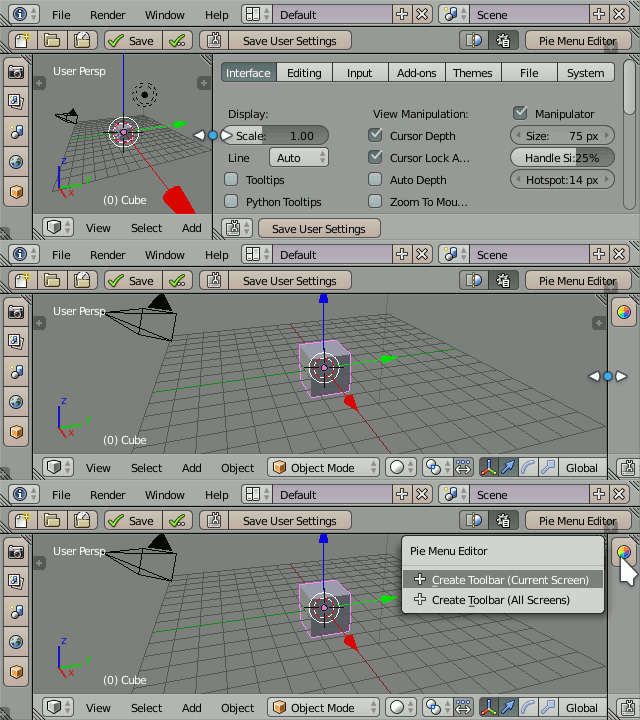
PME allows you to use the User Preferences area as a toolbar when its width or height is minimal:
参考動画(旧版) — 原作者 roaoao のチャンネル
Toolbars in Blender 2.79
Naming
Toolbars display popup dialog’s layout depending on its name:
Toolbar <Screen Name> <Position>
Where Screen Name and Position are optional and Position takes one of these values: Left, Right, Top, Bottom.
Examples
Example |
Description |
|---|---|
|
Top toolbar, all screens |
|
Right toolbar, UV Editing screen |
|
Any toolbar, 3D View Full screen |
Saving
Toolbar widgets are stored in User Preferences. The position and size of the toolbars are stored in .blend files. So in order to save your toolbars, you need to use both and commands.
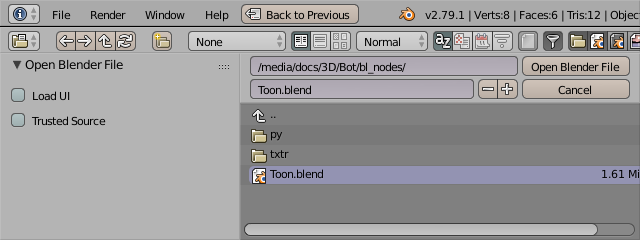
By default Blender loads UI stored in .blend files. To keep the current UI (including toolbars) you need to uncheck Load UI option: